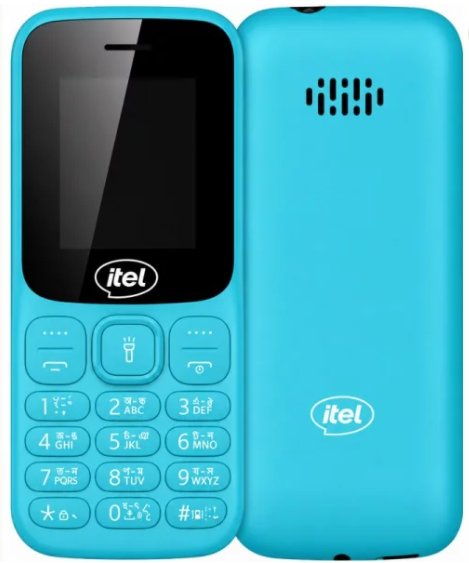
Itel It2032 Flash File
WhatsApp: 01551789497
Card found : F03C2EF2 , v0169
Infinity-Box Chinese Miracle II : SC/RDA Module [SCR] v1.07
SCRD mode : AUTO
SPRD mode : SC6530 : REV : 0000 : NOR : [ 4MB-8MB ]
SPRD mode : SC6531 : REV : E000 : NOR : [ 4MB ]
Operation : Read Flash [ v1.07 ]
1. Power off device
2. Press and hold BootKey or use BootCable
3. Insert cable and battery in device!
Wait for device ...
Device not found!
Remove battery, cable. Check cable and connection. Repeat operation!
Reconnect Power/Cable!
Operation : Read Flash [ v1.07 ]
----- > Powered On :
1. Power On device
2. Connect USB cable
3. When device show StorageMode : Press '0' button for a 5 second!
----- > Powered Off :
1. Insert USB cable
2. Wait when device show Charge icon
3. When device show StorageMode : Press '0' button for a 5 second!
Wait for device ...
Device Connected!
BOOT_PWR0 : 0x00200000
BOOT_INIT : 0x724FCA6F
BOOT_MODE : BOOTROM
Boot_CPU : 0x08090007 : [SPREADTRUM] : SC6533G
MEMD for flsh_spi32m Branch: none
Boot_CS0 : 0x00000000 : SPI : [SPIDEF] : 25Q32 : 0x00400000 [ 4MiB ]
Performing MemoryInit
Selecting RL
Sending RL
Config : MemoryInit
Config : Loader
BOOT_MODE : RLOADER
Boot IV : 0xFBA2A250
Boot done!
Read done, 0x00400000
Verify FlashContent
MCU verified
CAL verified
FAC verified
Device Info Details :
[0] : GS1819_it2032_64X32_128X160BAR_EnBn_BD
[1] : 8809
[2] : 8809e2
[3] : CT8851C
[4] : pasw_hs8292u
[5] : flsh_spi32m
[6] : gc9106/st7735s/gc9108/gc9108_FF/nv3023
[7] : rdabt_8809
[8] : rdafm_8809e
[9] : release
[10] : 2025-05-15_13:51:18
[11] : it2032-GS1819-EnBn-BD-20250515
Saved to : C:\Users\arifi\OneDrive\Desktop\New folder (3)\
Saved as : SC6533_4MiB_GS1819_it2032_64X32_128X160BAR_EnBn_BD_it2032-GS1819-EnBn-BD-20250515_2025-05-15_135118.ilod
Done!
Elapsed: 00:00:39
Reconnect Power/Cable!
What's Your Reaction?